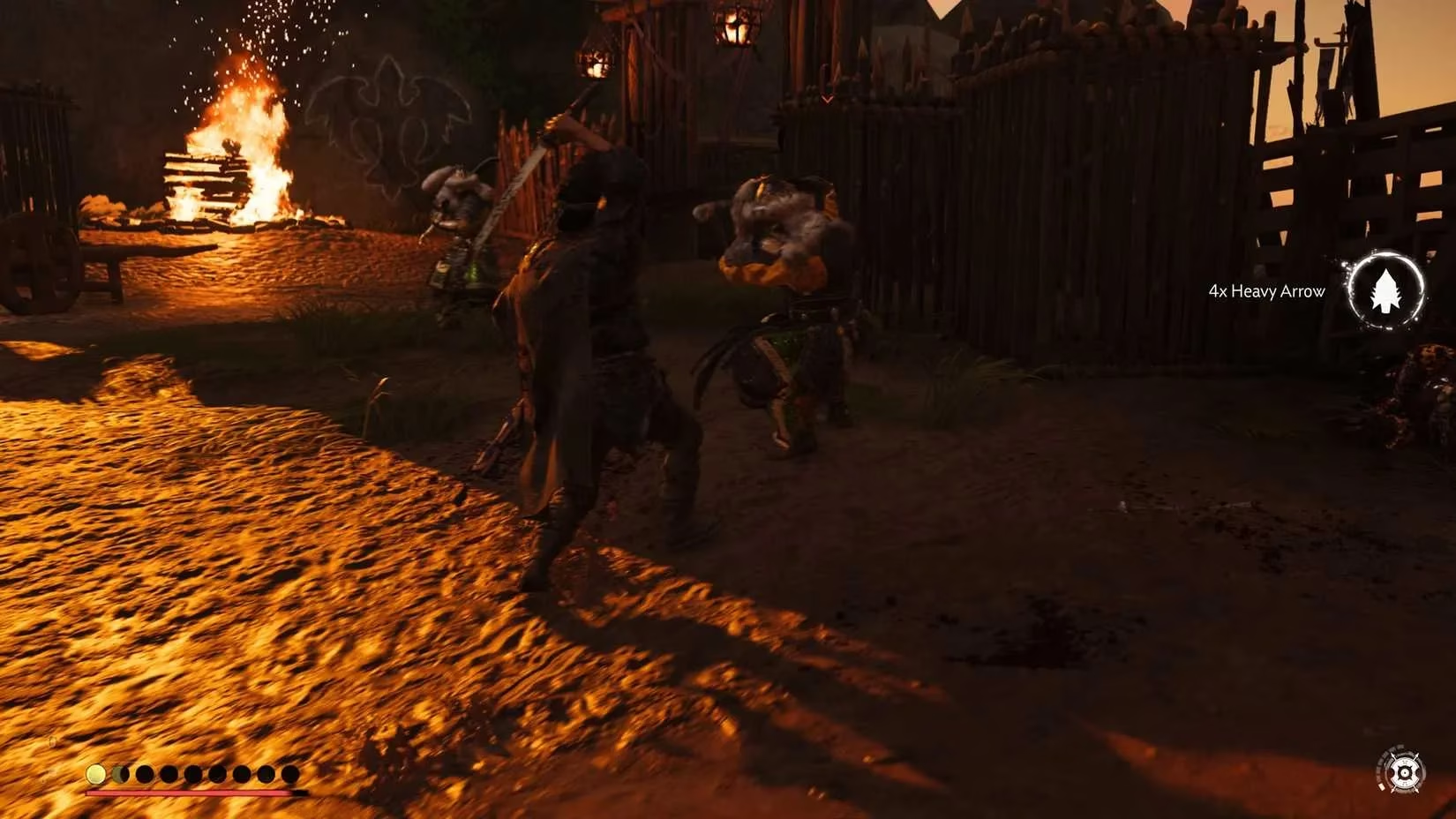
You know that feeling when you're knee-deep in Mongols, Jin's katana singing through the air, and suddenly the camera swings wildly because you brushed the right stick? Yeah, it's infuriating. I've been replaying Ghost of Tsushima Director's Cut on my PS5 (now with that sweet VRR support that came in a 2025 patch) and I cannot stress this enough: turn on target lock. Like, right now.
Back in 2024, a lot of newcomers missed this because Sucker Punch, in their infinite wisdom, shipped the game with the lock-on feature disabled by default. It's still that way in 2026 for new installs. I get the design intention – free-flow combat with wide sweeping camera movements to sell that cinematic samurai feel – but in a duel against five Ronin, you need that focus. So let me walk you through it and then drop some other settings that make the game feel brand new.
How to Actually Turn On Lock-On
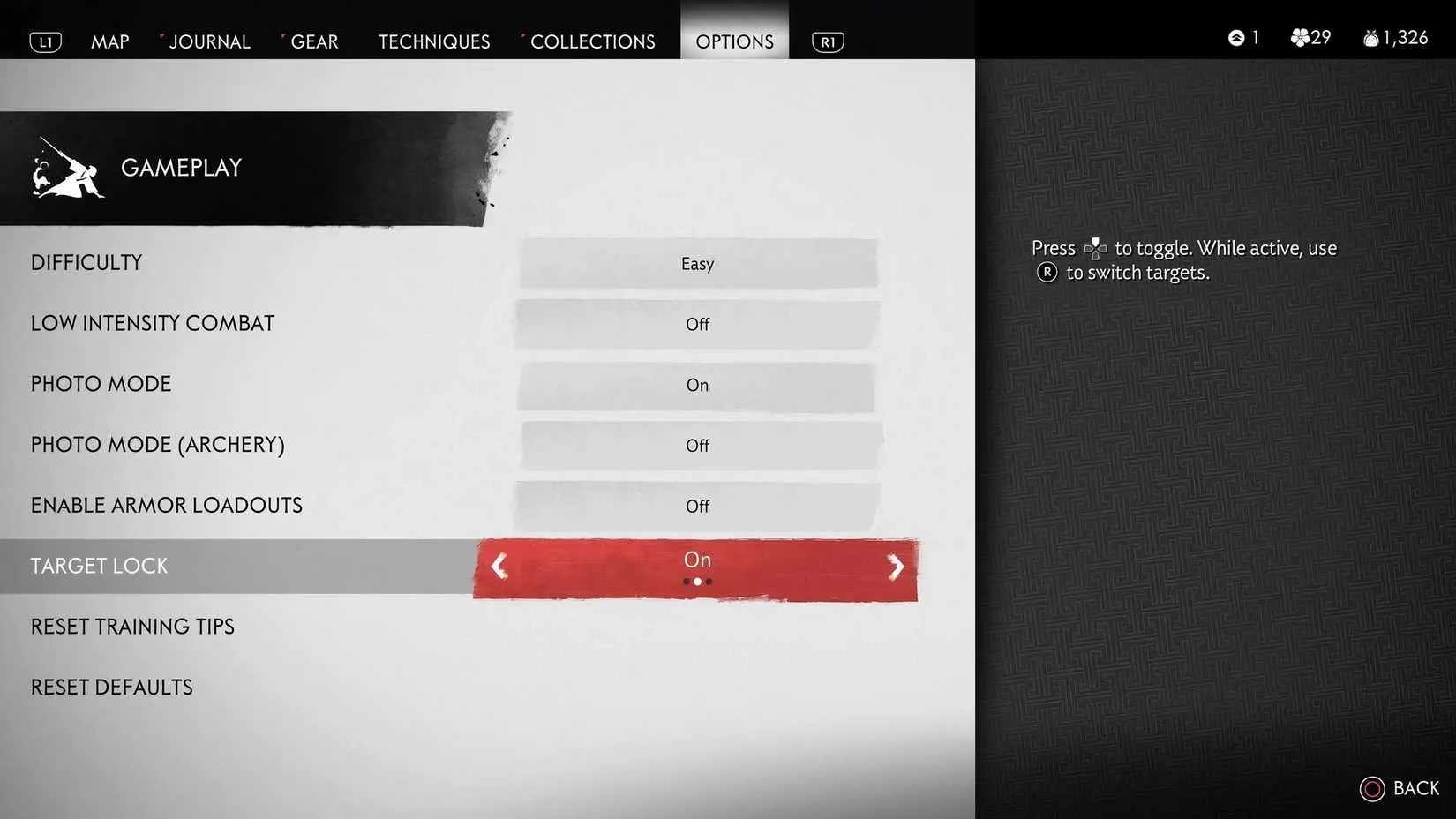
This is embarrassingly simple, but you'd be shocked how many “veteran” streamers I see still flailing without it around the Kamiagata region. Pause the game – you can do this mid-combat, no need to leave your mission – and head to Options. Select the Gameplay tab. Scroll down past the difficulty selector until you see Target Lock. Set that bad boy to On.
While you're there, look right below: there's a toggle for Swap on Defeat. Turn it on. This means the second you slice through one villain's neck, Jin's focus will snap to the nearest threat. No more awkward fumbling with the stick while an archer is lining you up from a rooftop. It's a subtle change, but it makes crowd control feel less like a QTE fest and more like a proper swordmaster's flow.
Using It in a Fight
Once enabled, you activate lock-on by pressing up on the D-Pad when an enemy is in view. The camera will center on that unlucky Mongol. To switch targets, you flick the right analog stick toward the direction of the next enemy you want to bully. It feels super natural once you're used to it. I recommend practicing in a low-intensity standoff or a small patrol camp near Izuhara before you take it into an Act 3 fortress.
Some purists argue lock-on ruins the “immersive” camera, but in 2026, with the influx of mods on PC (yeah, the PC port in 2024 was a game-changer) and even the DualSense haptics on the PS5 remaster, you can tweak the feel until it's perfect. Pro tip: bump up the camera sensitivity a notch if the panning feels slow – you want the brutality but not the sluggishness.
The Kurosawa Mode & Other Hidden Gems 🎬
Now let's talk about the settings that I think every player needs to at least try once, especially with the sequel, Ghost of Tsushima 2: On the Horizon, dropping last year. Sucker Punch obviously learned that players love granular control. The Director's Cut menu is packed, and looking back at 2024's version versus today's post-launch updates, it's even more refined.
-
Kurosawa Mode: Go to Display and toggle this on. Instantly, the screen becomes a grainy, black-and-white masterpiece with film grain and a dedicated monaural audio filter that mimics the old Japanese cinema sound. I replayed the entire first act like this and it felt like starring in a lost Akira Kurosawa film. The lighting system they built holds up beautifully even in monochrome.
-
Performance Options: On PS5 you can pick Favor Quality (native 4K/30fps with ray-traced shadows now) or Favor Performance (dynamic 4K/60fps). With the 2025 firmware update, VRR support makes the performance mode buttery smooth. On the PS5 Pro – yep, I tested it – you get an extra 120fps mode that makes parries feel almost precognitive.
-
Immersion Tweaks: You can hide the bow and quiver for a cleaner look, remove blood if you want a less gory experience (good for streaming), and most importantly, toggle Show Mask in Cutscenes. Nothing ruins a dramatic emotional beat like Jin wearing the Monkey Mask with tears welling in his eyes. Though sometimes that's exactly what I want.
-
Audio: Switch to Japanese audio with English subtitles for full authenticity. Since 2024's lip-sync patch, the facial animations now match the Japanese dialogue flawlessly. It's a completely different vibe and I can't go back.
Why This Matters More Now
In 2026, we're blessed with the full saga. Ghost of Tsushima 2 took everything from the first game's settings and added even more. Your target lock preferences carry over via cloud saves if you played the first game – that's a Sucker Punch touch. The sequel's lock-on system is enhanced with a "sticky" option that lets you stay glued to a single boss without accidental detargeting, and I genuinely believe that feature was born from feedback about the original's D-pad activation.
If you're diving into Tsushima for the first time before tackling the sequel (smart move), these settings are your best friend. The game is unforgettable on its own, but a few quick menu tweaks turn a great samurai adventure into your samurai adventure. So pause, toggle that Target Lock, switch on Japanese voices, and maybe even embrace the film grain. Your katana will thank you.
And seriously, if I hear one more person say "defalt off iz bettr" while getting speared in the back, I'll invite them to a Lethal difficulty duel with no hud. Wish them luck. 🏯